Happ
Requires macOS 13 or newer.
Download the App
Tip
Download Happ for macOS from the App Store.
Open in App StoreApp Setup
Step 1. Add the Key
- Go to your dashboard, tap "Copy Key Link"

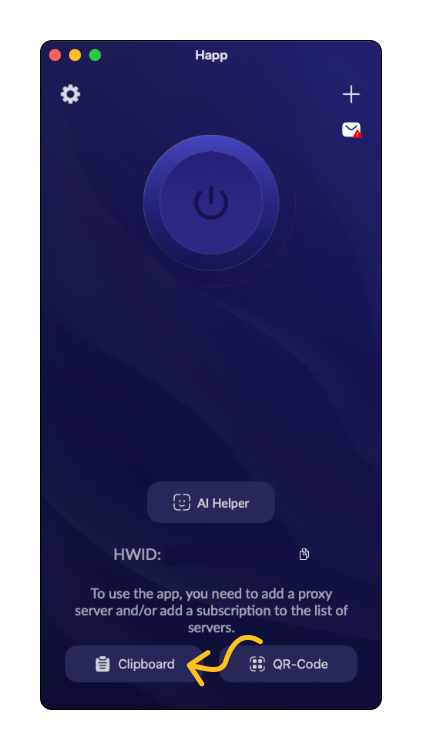
- Go to Happ, and at the bottom of the main screen tap the "Clipboard" button
Step 2. Connect
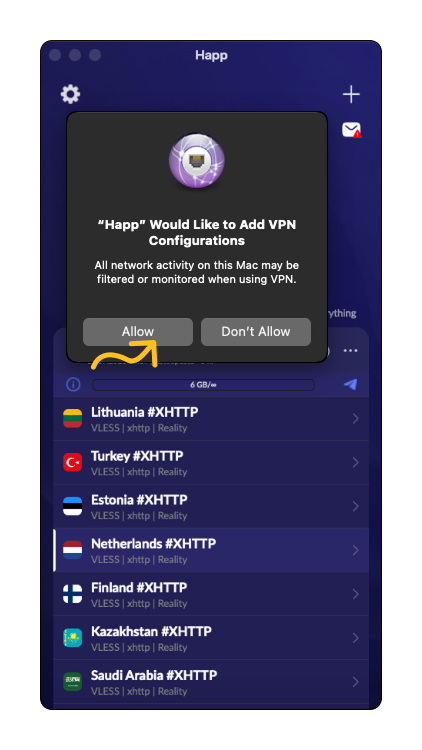
Once the subscription is added, a profile with a list of servers by country will appear. Select a server and tap the big connect button — macOS will show a system prompt, «"Happ" Would Like to Add VPN Configurations», tap "Allow".
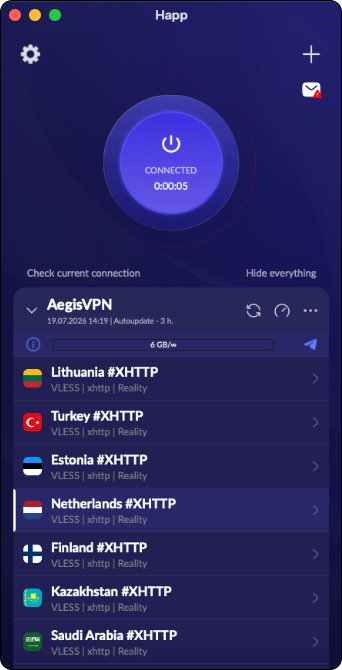
That's it — the connection is active!
When and How to Update the Subscription
You don't need to do this now — it only matters if we change servers or plan parameters. You can update it right in the app:
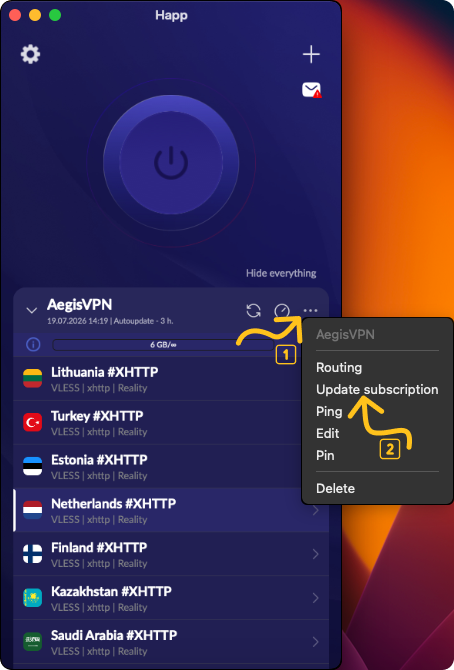
- Tap the three dots next to the profile
- Select "Update subscription"
Conclusion
You're now ready to use Happ for safe and anonymous browsing. If you have any questions or issues, please contact support.