v2rayNG
Download the App
Tip
It is recommended to install the app from the Play Market.
Open in Play MarketApp Setup
Copy the Link
Copy the access key that starts with https://mrzb.aegisvpn.cloud.
- Go to your dashboard
- Find the Vless key
- Click the (
Copy Key) button, and it will be copied to your clipboard.
Open v2rayNG
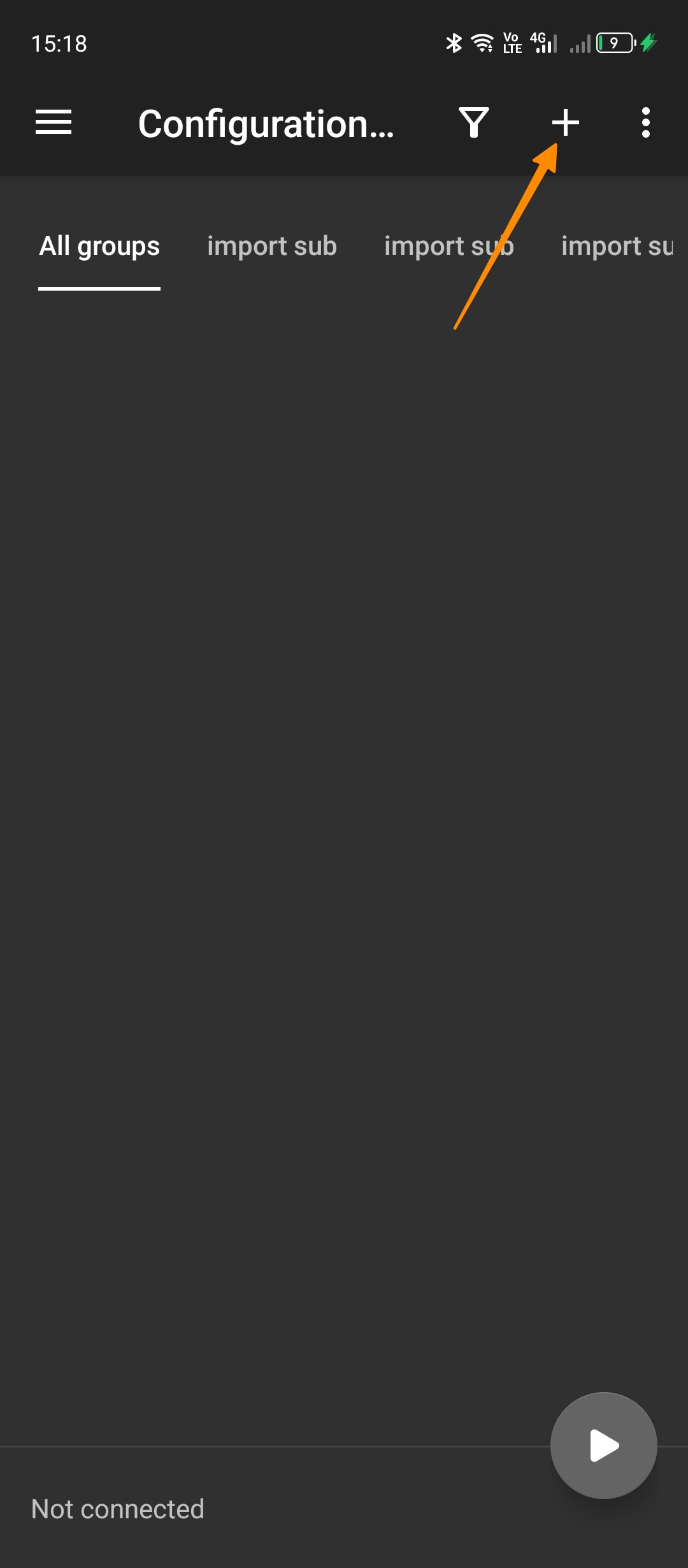
- Tap the
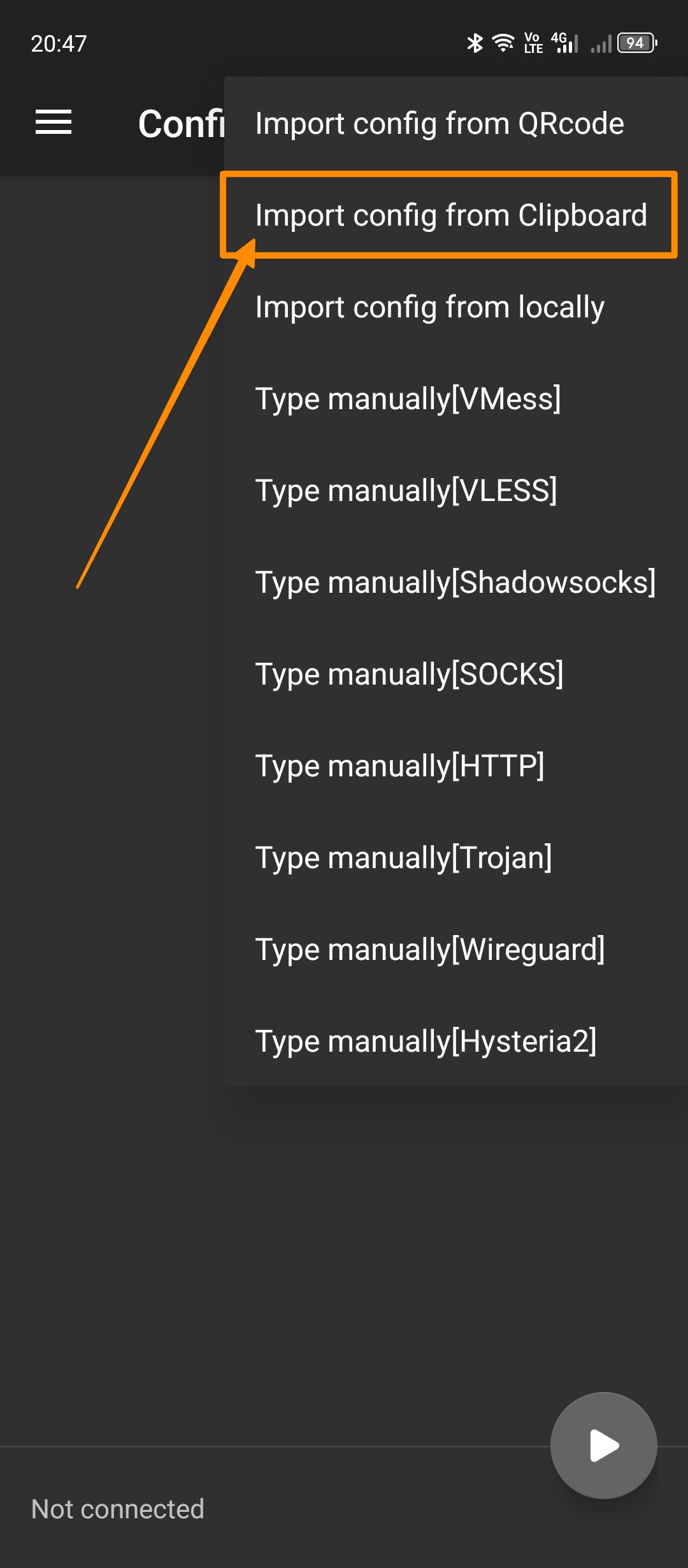
+icon in the top-right corner. - In the dropdown menu, tap
Import profile from clipboard.
Update Subscription
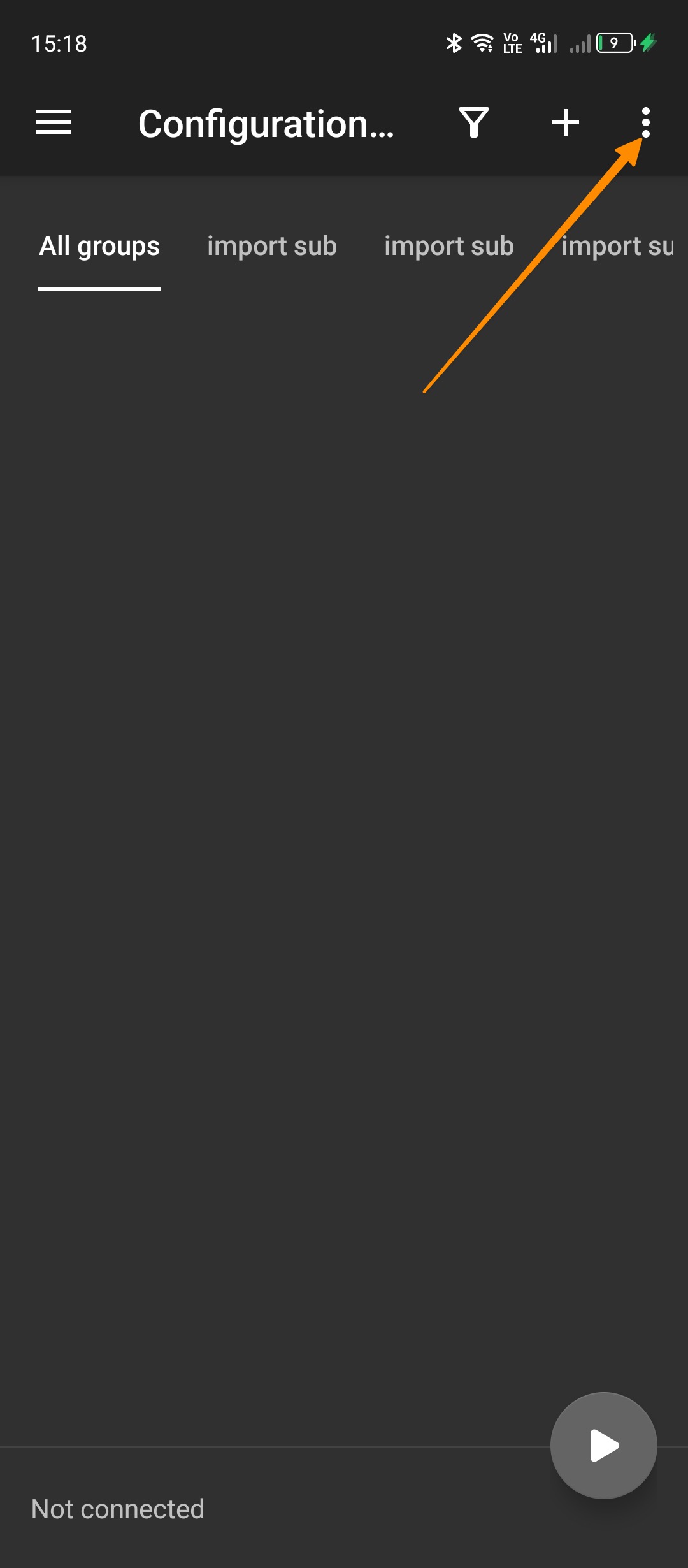
- Tap the
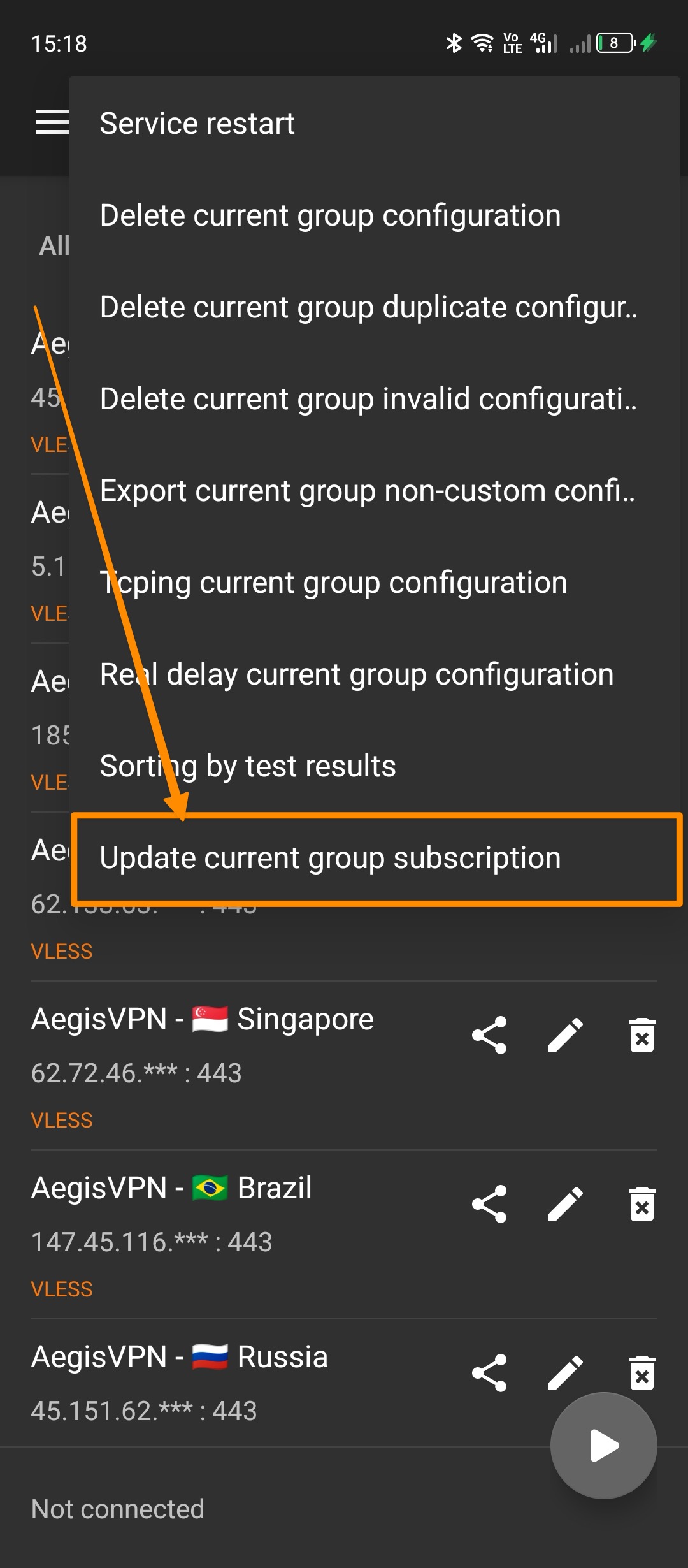
three dotsicon in the top-right corner. - In the dropdown menu, tap
Update subscription.
Enable/Disable VPN
- Select the server by tapping on it. A green bar will appear on the left side – the server is selected.
Enable VPN
To enable the VPN, tap the V button in the bottom-right corner.
Disable VPN
To disable the VPN, tap the V button in the bottom-right corner.
Conclusion
You're now ready to use v2rayNG for safe and anonymous browsing. If you have any questions or issues, please contact support.